
PowerDirector 365 is not an AI boyfriend app in the classic sense. It does not chat, flirt, remember, or build a relationship like a companion platform. But PowerDirector 365 still fits the AI dating ecosystem in a very real way, because it helps creators produce AI boyfriend and AI girlfriend content—talking avatar clips, romantic POV videos, date-night scenes, character intros, and story-driven edits that perform well on short-form platforms.
That’s the right angle for this review. PowerDirector 365 is best treated as a creator tool for AI dating-style content, not a virtual partner that talks back. When the goal is to build an “AI boyfriend brand,” a “virtual girlfriend series,” or a full TikTok/YouTube Shorts pipeline, this kind of tool becomes part of the relationship stack—just on the production side.
Last Updated: February 2026
How This PowerDirector 365 Review Was Evaluated:
- AI personality realism
- Memory & learning capability
- Customization depth
- Visual generation (if applicable)
- NSFW boundaries
- Pricing transparency
- Mobile experience
- Subscription fairness
What Is PowerDirector 365?
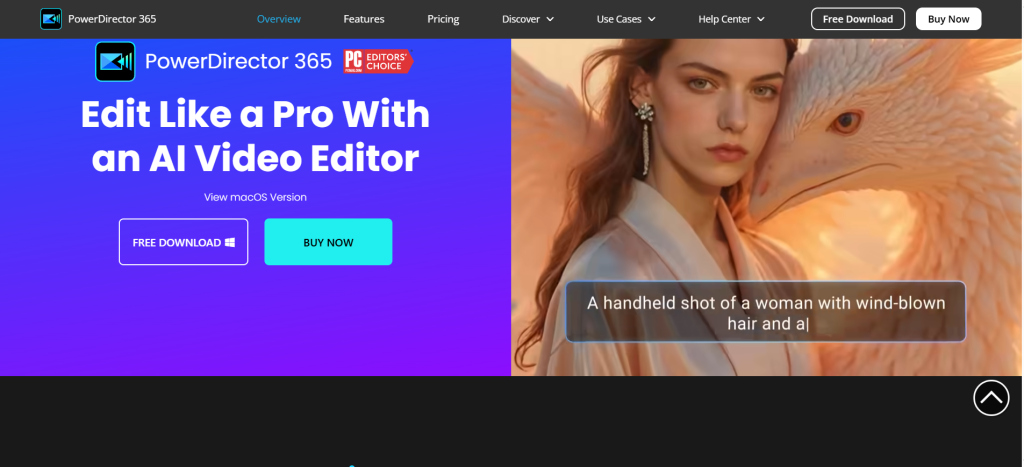
PowerDirector 365 is a subscription-based video editing platform by CyberLink with built-in AI features that speed up content creation. In the AI dating niche, its role is simple: it helps creators turn scripts and character ideas into polished videos that feel like AI boyfriend or AI girlfriend experiences—even though the “character” is being produced through editing, voice, and visuals rather than conversation.
Is it an AI girlfriend app?
No. It does not function like Replika, Kindroid, Nomi, or any chat-first companion.
Is it an AI boyfriend app?
No. It does not provide a persistent boyfriend chat experience.
Is it a hybrid AI dating platform?
Not directly. It is a tool used to create AI dating content.
Is it text-only or visual?
It is visual-first. The output is video.
Is it adult-focused or relationship-focused?
It is creator-focused. The relationship vibe comes from how the creator scripts and edits content.
What PowerDirector 365 is:
- A video editor that can help produce AI boyfriend / AI girlfriend content formats
- A tool for voiceovers, captions, scene building, background removal, and fast edits
- A way to package romantic storylines into short-form videos that feel “real” on social platforms
What it is not:
- Not a chat companion
- Not a romantic AI that remembers anything about the viewer
- Not a dating service or matchmaking platform
How PowerDirector 365 Works
PowerDirector 365 works like a modern editing suite, with AI features layered in to remove friction.
- Sign-up
- Users subscribe to the 365 plan and install the desktop software, use the mobile app, or both depending on workflow.
- Project setup
- Choose a format: Shorts, TikTok ratio, YouTube standard, or custom.
- Character creation (AI dating angle)
- The “character” isn’t created the way it is in companion apps.
- Here, the creator builds the character through:
- a consistent visual style (avatar, photos, AI art, or talking head content)
- a voice identity (voiceover style and tone)
- recurring storylines and relationship framing
- Personality customization
- This is done through scriptwriting and editing choices:
- flirty vs comforting
- bold vs shy
- dominant vs soft
- playful vs serious
- Chat experience
- There is no chat loop in PowerDirector 365.
- The “experience” is the video narrative, structured like:
- “text message POV”
- “date night scenario”
- “boyfriend voice message”
- “girlfriend confession”
- “jealous boyfriend scene”
- “comforting partner monologue”
- Memory and adaptation
- No persistent memory like a companion platform.
- Continuity is achieved through:
- series format
- recurring character traits
- consistent visuals/voice and repeated themes
- Image generation (if applicable)
- Depending on what features the creator uses, visuals can be enhanced through AI image tools or imported assets.
- Subscription activation
- Paid plans usually unlock more AI tools, stock assets, effects, and premium export options.
Key Features and Standout Tools
PowerDirector 365 is strong when the goal is fast production with polished results. In the AI dating niche, it’s not about “does it flirt well,” it’s about “does it help produce believable dating-style content fast.”
Here’s what matters most in this ecosystem:
Talking avatar / voice-driven content support
Even if the platform isn’t a dedicated avatar generator, it supports the pipeline: voiceover + visuals + cut pacing + caption styles that make an AI boyfriend/girlfriend persona feel alive.
Auto captions and subtitle styling
AI dating content relies on punchy captions. Good subtitle tools make “texting” style videos and POV edits feel real.
Background removal and subject isolation
This is huge for creators building scenes around a character. Removing backgrounds makes it easier to place the “partner” anywhere.
Templates, transitions, and pacing tools
Romance content wins when it’s clean and emotionally paced. Templates help creators avoid “amateur edit energy.”
Audio tools and voiceover workflow
The voice is half the relationship illusion. Clean voice audio, timing, and emphasis matter.
Quotable creator-focused takeaways
“Not an AI boyfriend—an AI boyfriend content machine.”
“Great for POV romance edits and scripted partner scenes.”
“Strong when used as the editor behind a companion brand.”
Is PowerDirector 365 NSFW or Safe for Work?
PowerDirector 365 is a general-purpose editor, so it is safe-for-work by default. It doesn’t exist to deliver explicit content. That said, creators can edit whatever content they choose to import, which means the “NSFW question” becomes practical:
- Romance and flirt content: generally fine for editing
- Explicit sexual content: depends on where it’s published, how it’s used, and local rules/platform rules
- Age restrictions: creators targeting “AI boyfriend/girlfriend” themes should treat this niche as adult-oriented by default, especially when flirting gets explicit
The honest answer: PowerDirector 365 is not an NSFW companion platform. It’s an editor that can be used to produce romantic content, and the boundaries are defined by the creator and the distribution platforms.
Emotional Realism and AI Intelligence
This is where the review needs to be blunt.
Does it feel human?
PowerDirector 365 doesn’t “feel human” because it doesn’t chat. The realism comes from how well it helps creators produce believable relationship-style videos.
Does it remember past conversations?
No. There is no relationship memory because there is no conversation layer.
Is it GPT-powered?
Not relevant in the way it is for chat companions. The intelligence is expressed through editing automation and AI tools, not dialogue.
Does it adapt?
Not as a partner. It adapts only as software—through editing features.
Is it scripted or dynamic?
It’s entirely scripted. That’s not a weakness. In the content world, scripted is control, and control is consistency.
The real emotional realism rating should be based on:
- how believable the voiceover feels
- how clean the cuts and pacing are
- how cinematic the scene structure can be
- how consistent the character identity stays across episodes
This makes PowerDirector 365 a different kind of product in the AI dating market—more “production studio” than “digital partner.”
Pricing, Credits & Subscription Model
PowerDirector 365 is typically subscription-based and positioned as a premium editing suite with ongoing updates and included tools. Instead of paying for “messages,” users are usually paying for:
- the editing suite
- premium effects
- AI features
- stock content access (where included)
- export capability and workflow convenience
How to evaluate pricing for AI dating creators:
- Is there a free version? Some versions exist as trials or limited editions, but creators serious about output typically need the paid plan.
- Monthly plan value: Does it justify itself through saved time and repeatable content formats?
- Hidden fees: Watch for add-ons like premium packs, extra stock libraries, or separate tools.
- Refund clarity: Subscription tools should be easy to cancel and transparent about renewal.
For this niche, the key question is not “is it expensive,” it’s “does it reduce production time enough to scale a content series?”
User Experience (Mobile & Desktop)
PowerDirector 365 is designed to run well for creators, and the experience depends on workflow:
Desktop
- Best for full editing control, batch production, and longer videos
- Easier to manage assets (voice files, images, clips, templates)
- Better for consistent “series production”
Mobile
- Good for quick social-first edits, fast captioning, and uploading
- Better for creators who live on a phone-first workflow
- Can be limiting for complex multi-layer scenes
Smoothness matters:
- Fast rendering and stable performance keep creators consistent.
- If the tool feels heavy or slow on weaker machines, creators may want a lighter workflow using mobile-first editors.
Pros and Cons
Pros:
- Strong fit for creators building AI boyfriend/girlfriend content series
- Helps produce romantic POV edits and scripted relationship scenes quickly
- Subtitle/caption workflows support short-form storytelling
- Editing automation reduces time spent on repetitive tasks
- Works well as the “editor backbone” behind an AI dating brand
Cons:
- Not an AI boyfriend or AI girlfriend chat experience
- No memory, personality engine, or relationship progression
- Emotional realism depends on creator skill and scripting
- Can be overkill for casual creators who just want quick clips
- Subscription cost may not make sense without consistent output needs
PowerDirector 365 vs Alternatives
PowerDirector 365 should be compared to creators’ tools, not chat companions.
Best creator-tool alternatives (AI dating content angle):
- CapCut (fast mobile-first editing, very popular for short-form formats)
- Adobe Premiere Pro (powerful, heavier learning curve)
- Filmora (creator-friendly editor with effects and templates)
- VEED (web-based editing with creator tools)
- Descript (voice + text-based editing workflows)
- DaVinci Resolve (high-end editing and color, can be heavy)
AI avatar / talking presenter alternatives (if the goal is a “virtual boyfriend” on-camera):
- HeyGen
- Synthesia
- D-ID
If the reader actually wants a real AI boyfriend chat companion instead of video creation:
- Kindroid is the strongest “internal link” alternative to mention for conversation realism and continuity.
Comparison Table
Who Is PowerDirector 365 Best For?
Roleplay fans (content creation)
Perfect for creators who write scripted “virtual boyfriend/girlfriend” scenes and want a clean, emotional edit style.
Casual flirting content
Great for POV texting edits, voice note scenes, confession clips, and dating skits.
Fantasy seekers (storytelling-first)
Ideal for building character series where the “partner” is a recurring persona.
Emotional companionship seekers
Not the best fit if the goal is a partner to talk to. A chat-first companion app is better for that.
Lonely users
If the goal is personal companionship, PowerDirector 365 won’t satisfy that need on its own. It’s a tool, not a relationship.
FAQs
Is PowerDirector 365 free?
PowerDirector 365 is primarily a subscription product, though it may offer a trial or limited options. Most creators who publish consistently end up using the paid plan for full features and smoother workflow.
Does PowerDirector 365 have an AI boyfriend section?
No. It does not include a dedicated AI boyfriend chat section. It can be used to create AI boyfriend-style videos, but it is not a companion platform.
Can PowerDirector 365 replace an AI girlfriend or AI boyfriend app?
No. It doesn’t chat, flirt, or build relationship memory. It’s better viewed as the editing engine behind AI dating content.
Does it send real photos?
No. It’s a video editor. Any visuals come from what the creator imports or generates through creator tools.
Is it anonymous?
It can be used privately like most software tools, but anonymity depends on what personal content is uploaded and how the user publishes videos.
Does it remember conversations?
No. There is no conversation layer. Any “continuity” is created by the creator through series format and consistent character design.
Can creators customize a boyfriend or girlfriend personality with it?
Yes, but indirectly. Personality is controlled through scripting, voice tone, editing style, pacing, and recurring storyline structure.
Is PowerDirector 365 worth paying for?
It’s worth paying for creators who publish consistently and want polished results fast. For casual users, lighter editors may be enough.
Is it better than CapCut for AI dating content?
It depends on workflow. CapCut is often faster for phone-first edits, while PowerDirector 365 can feel stronger for creators who want more control and a consistent production pipeline.
Is it safe?
It’s generally safe as a tool, but creators should avoid uploading sensitive personal content and should be mindful of where they publish romantic or adult-themed edits.
Does it work on mobile?
Yes, there are mobile workflows available. Desktop is typically better for heavier editing and long-term series production.
Can users delete their data?
Account settings and data handling depend on how the software and any connected services are used. The safest approach is to treat uploaded personal assets cautiously and keep local backups and deletions organized.
Can it be used for NSFW AI boyfriend content?
It’s not an NSFW platform. As an editor, it can technically edit content, but explicit adult content introduces platform-policy issues on distribution channels and may violate rules depending on how it’s used.
What’s the best alternative if the goal is a real AI boyfriend chat?
A chat-first companion platform is the better match. Kindroid is a strong option when the goal is ongoing conversation realism and continuity.
Final Verdict on PowerDirector 365
PowerDirector 365 fits the AI dating niche as a creator tool, not as an AI boyfriend or AI girlfriend companion. It’s a practical choice for building polished “virtual partner” content—romantic POV edits, scripted boyfriend/girlfriend scenes, and series-based storytelling that feels emotionally real on video. Anyone who wants a partner to talk to should skip it and use a chat-first companion instead, with Kindroid being a stronger alternative for relationship-style conversation. For creators building an AI dating content pipeline, PowerDirector 365 earns a clear recommendation as an editing backbone that can help scale output with speed and polish.