

Tinychat has survived long enough in a chaotic niche to become a familiar name, and that alone makes people curious. Video chat trends change fast, platforms rebrand overnight, and entire communities migrate the moment an app gets boring or unsafe. Yet this one still gets searched, still gets tried, and still gets compared against every new Omegle alternative that pops up.
Popular Alternatives:



At its core, this platform sits in the “meet people instantly” category. Expect real-time video, quick entry, and a mix of users depending on the time of day.
Last Updated: January 2026
How This Tinychat Review Was Evaluated
- Moderation strength
- Privacy/anonymity controls
- Pricing transparency
- Ease of use (mobile/desktop)
- Bot/spam prevention
- Filtering options (gender/location where relevant)
- Overall user safety
What Is TinyChat?
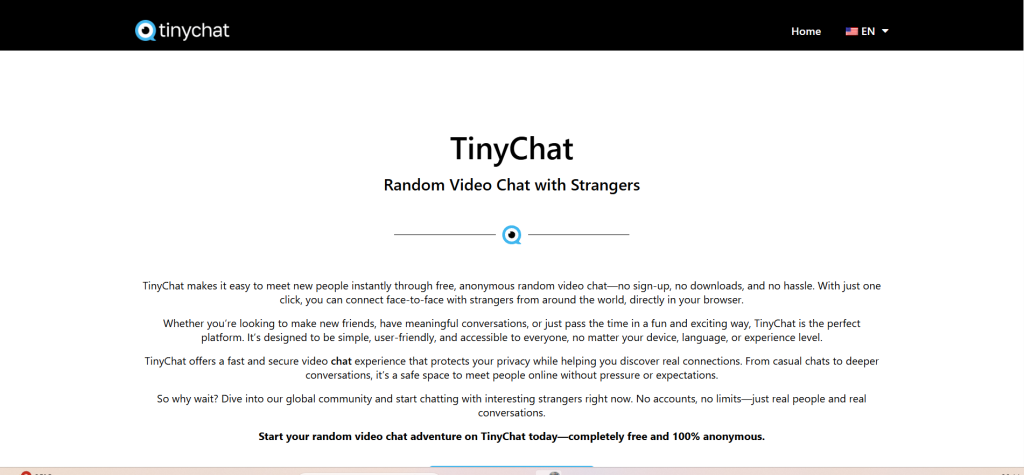
TinyChat is a live video chat platform designed for fast connections—typically with strangers—through real-time video sessions. Historically, the name was strongly associated with group-style chat rooms. In more recent positioning across the niche, it’s commonly presented as a simpler, quicker way to jump into live video conversations without heavy profile-building.
Here’s the clean definition that helps expectations stay realistic:
TinyChat is a video chat platform that focuses on quick live conversations, usually with strangers, using a straightforward start-and-chat experience.
What it is not:
- Not a classic dating app with long bios and matching algorithms
- Not a “friends-only” messenger like WhatsApp or Telegram
- Not a professional meeting tool like Zoom or Google Meet
It’s built for spontaneous conversation. That’s the attraction. That’s also where most of the risk comes from.
How TinyChat Works
The best way to understand how the platform works is to picture a short loop: enter → match or join → chat → move on.
A typical flow looks like this:
- Open the site (or app, if available in a region).
- Allow camera and microphone permissions.
- Choose a mode (this can be one-on-one or room-based depending on how the platform is currently structured and what options are presented).
- Start chatting immediately.
- Switch quickly if the match or room vibe is not right.
The platform’s biggest selling point is speed. No long onboarding. No drawn-out setup. It tries to get users into a live session in seconds.
That convenience is great for casual users. It’s less great for people who expect a heavily curated environment.
Key Features and Standout Tools
The exact feature set can evolve, but most users care about the same practical tools in this niche. These are the features that matter most when judging a video chat platform like this:
Instant start
Fast entry is the entire product. The best experience comes when the interface makes it easy to jump in and easy to leave.
Live video + text chat
Video is the main experience, but text chat matters for setting boundaries, clarifying intent, or communicating when audio isn’t ideal.
Skip / switch controls
A strong “next” or “leave” control is not just convenience. It’s safety.
Basic filters (sometimes limited)
Many platforms offer filters—location, language, or preference controls—often as premium features. Filters can improve match quality, but they’re rarely a guarantee.
Room or community elements (where present)
Depending on how the platform is being used at the moment, users may see room-style community behavior, where people return to familiar spaces rather than purely random sessions.
Simple UI
Clean design is underrated in video chat. When controls are obvious, users make safer choices faster.
A short, quotable answer block that sums up what “good” looks like:
A strong video chat platform gives users control: easy entry, easy exit, and clear reporting tools.
Is TinyChat Anonymous?
Anonymity in video chat is always “partial,” even when a platform markets itself as anonymous.
In practical terms, many users can avoid sharing a real name, and that’s a form of anonymity. But video itself can reveal identity cues quickly.
What can feel anonymous
- No real name required
- Minimal profile creation
- Disposable usernames
- Short, one-time sessions with strangers
What breaks anonymity
- Camera on (face, voice, surroundings)
- Sharing social handles
- Sending personal photos
- Clicking external links
- Paying for upgrades tied to personal billing information
The realistic takeaway:
TinyChat can reduce identity exposure by limiting what’s required to start, but live video is never fully anonymous.
Users who want the safest version of “anonymous” should treat every session as public-facing. That mindset prevents oversharing.
Safety, Moderation, and Privacy Controls
This niche is defined by two competing forces: spontaneity and safety. The more spontaneous it is, the harder it is to moderate perfectly.
Most video chat platforms use a combination of:
- automated detection for spam and abusive behavior
- user reports and blocks
- moderation actions against repeat offenders
Here’s what safety looks like when it’s working:
- clear rules are visible
- a report button is obvious, not hidden
- bans actually stick (device or account-level enforcement)
- the platform does not tolerate harassment patterns
Here are common safety problems in “chat with strangers” platforms:
- Spam and bot behavior: scripted openers, link drops, fake profiles
- Harassment: aggressive language, unwanted behavior, intimidation
- Content mismatch: users expecting casual chat running into people with different intent
- Privacy pressure: requests for social handles or external contact too early
Privacy controls matter, but so does user behavior. The strongest safety feature is still a user’s ability to exit quickly.
Practical “use it every time” safety habits:
- do not share personal details (full name, address, workplace)
- keep the background neutral
- avoid moving to external platforms quickly
- report + block early, not late
- trust discomfort as a signal and leave fast
Pricing, Payments, and Subscription Structure
In this niche, “free” usually means “free to start,” not “free forever.”
Most platforms with similar positioning offer:
- Free access to basic chat or limited sessions
- Premium upgrades for better filters, ad reduction, or enhanced features
- Optional paid tools that improve convenience (not always safety)
Pricing can change, so the best way to evaluate it is not by chasing exact numbers—it’s by checking whether the platform is transparent.
Good pricing transparency
- pricing is visible before purchase
- renewals are clearly stated
- cancellation steps are easy to find
- the platform does not constantly interrupt sessions with upsells
Bad pricing transparency
- unclear renewals
- surprise charges
- unclear “trial” rules
- aggressive payment prompts during normal use
A short, quotable block for readers comparing platforms:
If pricing feels confusing before buying, it usually feels worse after buying.
Users who want a low-risk experience should start free, test the vibe, then consider premium only if it clearly improves match quality.
User Experience (Mobile, Desktop, Sign-Up)
User experience is where video chat platforms either feel smooth—or exhausting.
Mobile experience
Mobile is often the main use case in this niche. A good mobile experience includes:
- fast loading
- big controls (leave/skip/report)
- stable video
- minimal clutter
If a platform feels cramped or the report button is hard to find, it’s a sign the user experience isn’t built around safety.
Desktop experience
Desktop tends to feel more stable and controllable:
- larger video window
- better visibility for chat + controls
- easier multitasking
- stronger performance on long sessions
Sign-up friction
The niche favors low friction. Many users prefer guest access or minimal registration. However, premium features often require an account.
A helpful reality check:
The best sessions happen when the platform disappears into the background and the conversation feels natural.
If the interface constantly distracts or pushes upgrades, the experience drops.
Pros and Cons
Pros
- Quick entry into live video chat
- Works well for spontaneous conversations
- Easy switching keeps the experience moving
- Often more lightweight than profile-heavy apps
- Can feel like a simple Omegle alternative for casual users
Cons
- Match quality can be inconsistent
- Partial anonymity only (video exposes identity cues)
- Bots and spam can appear depending on time and traffic
- Moderation strength varies by platform systems and user reporting
- Filters may be limited unless upgraded
It’s a platform category that rewards good boundaries. That’s the difference between “fun” and “stressful.”
TinyChat vs Alternatives
Not every user wants the same thing. Some want quick randomness. Some want filters. Some want community. Below are strong alternatives commonly compared in the same space, each with a slightly different feel.
OmeTV
Often chosen for a large user pool and fast matching.
Emerald Chat
More structured, community-driven, typically better for conversation-first users.
Chatroulette
Classic roulette-style experience with simple controls and familiar behavior patterns.
Chatrandom
Multiple chat modes and filter-style options, popular for variety.
Shagle
Filter-focused video chat, often used by people who want location-style matching.
Camgo
Lightweight and simple, designed to reduce friction.
Joingy
Fast, minimal interface for quick random sessions.
Chatspin
Often positioned as a quick-start random video chat option with some filters.
CooMeet
More curated matching feel, especially for users looking for gender-based matching features (often paid).
This is the practical truth:
The best alternative depends on what matters most—speed, safety, filters, or structure.
Comparison Table
| Platform | Best For | Free Version | Moderation | Key Advantage |
|---|---|---|---|---|
| TinyChat | Quick live video chatting | Yes (limited) | Medium | Low friction start |
| OmeTV | High-volume random matches | Yes (limited) | Medium | Large user base |
| Emerald Chat | Structured conversation-first chat | Yes (limited) | Medium-Strong | Community + rules |
| Chatroulette | Classic roulette video chat | Yes (limited) | Medium | Simple, familiar format |
| Chatrandom | Variety of chat modes | Yes (limited) | Medium | Multiple modes + filters |
| Shagle | Filter-focused matching | Yes (limited) | Medium | Location-style filtering |
| Camgo | Simple, lightweight sessions | Yes (limited) | Medium | Fast onboarding |
| Joingy | Minimal interface, quick chats | Yes | Varies | Very low friction |
| Chatspin | Random chat with some filters | Yes (limited) | Medium | Easy start + filters |
| CooMeet | More curated matching | Limited | Medium-Strong | Better controlled matching |
FAQs on Tinychat
1. What is Tinychat used for?
It’s used for live video chatting, often with strangers, through quick-start sessions designed for spontaneous conversation.
2. Is TinyChat a dating app?
No. It may feel social and sometimes flirty, but it’s primarily a video chat platform, not a profile-based dating service.
3. Does TinyChat require an account?
Some experiences may start without full registration, but premium features and certain controls may require an account.
4. Is TinyChat anonymous?
It can be partially anonymous because real names aren’t always required, but video reveals identity cues quickly.
5. Is TinyChat safe?
Safety depends on moderation tools and user behavior. Fast reporting, blocking, and cautious sharing improve safety.
6. Are there bots on TinyChat-style platforms?
Bots and spam can appear in many random video chat environments. Fast skipping and reporting helps reduce exposure.
7. What should never be shared in live video chat?
Real name, home address, workplace details, personal phone number, banking info, or social handles too early.
8. Can users be recorded in video chat?
Screen recording is technically possible on most devices. It’s safest to assume it can happen.
9. Does TinyChat work better on mobile or desktop?
Desktop usually offers more stability and control. Mobile is more convenient, but older devices may struggle.
10. Are filters available?
Some platforms offer filters like location or preferences, often as premium features.
11. How can match quality be improved?
Using clear boundaries, leaving quickly when the vibe is off, and choosing structured alternatives can improve consistency.
12. What’s the best alternative for safer conversations?
Platforms with stronger community rules and better reporting systems tend to be calmer and more predictable.
13. Is TinyChat good for meeting friends?
It can be, especially for users who enjoy spontaneous conversation and are comfortable with randomness.
14. Why do some video chat platforms feel chaotic?
Random matching brings mixed intent and mixed behavior. Strong moderation helps, but user caution remains essential.
15. What’s the smartest way to start using video chat platforms?
Start free, keep personal info private, test the vibe, then decide whether filters or premium upgrades are worth it.
Final Verdict: Tinychat
Tinychat works best for users who want quick live video chat without profile-building, long onboarding, or slow messaging, and it fits the “simple Omegle alternative” lane when expectations stay realistic. The experience can be fun and surprisingly social, but it’s only as safe as the combination of moderation tools and user boundaries. For people who want more structure or stronger filtering, a more curated alternative may feel more consistent than Tinychat.