
Vidnoz AI is a browser-based AI video generator that helps users create “AI boyfriend” and “AI girlfriend”-style videos using talking avatars, AI voices, templates, and simple scripts. It is built for content creation first, not for building a two-way virtual relationship through deep chat, long-term memory, and emotional bonding.
Vidnoz AI fits creators who want fast romantic POV clips, flirty mini-stories, message-style videos, or relationship-themed Shorts—without filming a real person. It can be used for wholesome romance, playful flirting, or stylized fantasy scenes, but it is not an adult-first companion app and it does not behave like a dedicated AI partner that “lives” in a chat thread.
Last Updated: February 2026
How This Vidnoz AI Review Was Evaluated:
- AI personality realism
- Memory & learning capability
- Customization depth
- Visual generation (if applicable)
- NSFW boundaries
- Pricing transparency
- Mobile experience
- Subscription fairness
What Is Vidnoz AI?
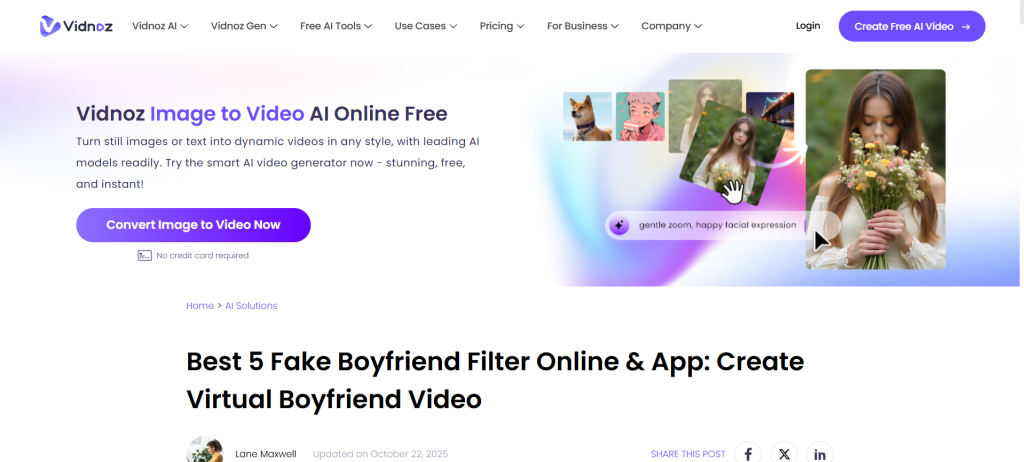
Vidnoz is an AI video creation platform designed to generate videos quickly using AI avatars, voiceovers, and templates. Think of it as a “talking presenter + script” engine that can be adapted into dating-themed content, not a relationship app that talks back like a partner.
What it is:
- An AI video generator with talking avatars and AI voices
- A template-driven tool for fast social content, explainers, greetings, and roleplay-style clips
- A creation suite that can support romantic “boyfriend/girlfriend” video formats through visuals and voice
What it is not:
- Not a true AI girlfriend app with deep emotional bonding as the primary product
- Not an AI boyfriend chat platform with persistent relationship memory as the core feature
- Not built around intimate conversation threads, daily check-ins, and partner-style progression systems
For AI dating audiences, the value comes from one thing: it lets users create the experience of a virtual partner on video—especially for short-form content—without the platform needing to be a companion app itself.
How Vidnoz AI Works
The workflow is straightforward, which is why the platform appeals to creators who want speed and volume.
Step 1: Sign-up
Users create an account and land in the dashboard. Most tools are web-first, so there is no “install” barrier for desktop users.
Step 2: Choose a creation path
Typical starting points include:
- Avatar-based video (pick a presenter / character)
- Template-based video (choose a format and customize text)
- Image-to-video style tools (animate a still image into motion)
- Voice tools (generate narration, pick tone, adjust pacing)
Step 3: Character setup (optional)
Instead of “character creation” like a companion app, the “character” here is the avatar selection plus voice style. This is where users shape the vibe: soft, romantic, playful, serious, or confident.
Step 4: Script and scene building
Users input text (the “dialogue” or voiceover script), break it into segments, and adjust how the avatar delivers it. Romantic content typically uses short lines, pauses, and a direct tone.
Step 5: Voice + delivery
Select a voice, choose the language/accent, and refine the emotional style if the tool supports it. This is a major part of whether the “AI boyfriend” concept lands or feels robotic.
Step 6: Generate video
The platform processes the request and returns a video preview. From there, users export, download, or revise.
Step 7: Credits / subscription activation
Many tools run on a credit model. The practical experience is simple: free usage exists for testing, but serious creation typically requires a paid plan or extra credits.
Key Features and Standout Tools
This platform’s strengths are mostly “creator stack” features. The dating angle works because those same features are exactly what boyfriend/girlfriend-style videos need: a face, a voice, and a believable delivery.
Standout: Talking avatars (fast romantic POV clips)
A strong avatar + voice combination can produce boyfriend-style “message to you” videos, apology clips, good morning/good night clips, or short romantic prompts for viewers.
“Best for creators who want partner-style videos without showing their face.”
Large template library (speed over perfection)
Templates are useful for creators who want consistent output. In the AI dating content ecosystem, templates can become recurring series formats:
- “Texting my AI boyfriend” style clips
- “POV: your virtual partner says…” series
- Romantic scenario monologues
- Anniversary / greeting / flirty confession formats
“Templates make the content repeatable—perfect for Shorts and Reels.”
AI voice variety (the make-or-break factor)
Even strong visuals fall apart if the voice sounds flat. The platform’s voice options are a key selling point for boyfriend/girlfriend content, because tone matters more than length.
“A convincing voice sells the fantasy faster than HD visuals.”
Image and video tools (stylized romance formats)
Image-to-video and effect-style tools can support “romance filters,” “couple scenes,” or stylized cinematic micro-moments. These are content-driven features, not relationship-driven features.
“More ‘make a vibe’ than ‘build a relationship.’”
Multi-use creation suite (not only dating)
A big advantage is that the same subscription can also power non-dating content: business videos, intros, scripts for product promotion, or faceless narration. That makes it easier for creators to justify paying for it.
“A single tool that can pay for itself across multiple content niches.”
Is Vidnoz NSFW or Safe for Work?
Vidnoz is best treated as safe-for-work by default, with the ability to create romantic or suggestive content depending on what the user generates. It is not positioned as an adult-first platform in the way explicit companion apps are.
What users should expect:
- Romantic content and “virtual boyfriend/girlfriend” themed videos can be created
- Flirty formats are possible, especially through scripts and avatar delivery
- Explicit adult content is not the product’s main identity, and boundaries can exist depending on the tool and policy rules
The safest way to describe it: it supports romance aesthetics, not explicit relationship simulation. For audiences searching for “AI boyfriend,” it is important to be clear that this is about creating videos, not having an intimate conversation with a persistent partner.
Emotional Realism and AI Intelligence
Here is where this platform separates from true companion apps.
Does it feel human?
It can feel human-like in delivery if the avatar looks natural and the voice matches the script. But the realism is performance realism, not emotional intelligence.
Does it remember past conversations?
Not in the way a companion app does. This is not built around a continuous relationship thread. Any “memory” is usually the user’s own project organization, saved drafts, or repeated character settings—rather than a partner remembering details about a user’s life.
Does it adapt?
It adapts in the creative sense: users iterate scripts, switch voices, change delivery, and refine the output. It does not adapt as a personality that grows alongside the user through daily bonding.
Is it scripted or dynamic?
It is largely script-driven. The user writes the lines. The platform produces the performance.
This is not a weakness—it is simply a different product category. The “AI boyfriend” angle here is a content format, not a two-way relationship.
Pricing, Credits & Subscription Model
This category usually comes down to one question: can the platform be tested for free, and is the paid plan fair once a creator starts producing regularly?
Free version limits
The free experience is typically meant for trial runs—testing the interface, running small videos, and getting a feel for avatar + voice output. Free tiers in this category often include:
- Limited daily generation
- Shorter video length
- Watermark or lower export options (varies by tool)
- Slower processing
Paid plan structure (credits + subscription)
The paid model commonly combines:
- A monthly or yearly subscription tier
- Credits that are consumed based on video generation time or tool usage
- Optional add-on credit packs for heavier users
Credit system reality
Credits are not automatically bad—credits can be fair when they are transparent. The key thing creators should watch for is whether:
- credits run out too quickly for the average workflow
- the platform encourages repeated regeneration because previews are inconsistent
- add-on credits expire or are restricted (this varies between providers)
Refund clarity and hidden fees
The smartest approach is simple: treat subscriptions like production budgets. If the platform is used for daily content output, credits can make sense. If it is used once a month, a subscription may feel wasteful.
In general, Vidnoz feels most “fair” for creators who:
- already post content consistently
- can reuse templates and formats
- know what they want to generate (less trial-and-error)
User Experience (Mobile & Desktop)
Browser-based access
A web-first experience is a plus for creators who work on desktop. It also reduces friction for beginners because there is no installation barrier.
Mobile usability
Mobile support matters because many short-form creators write scripts and manage posting from a phone. The experience tends to be better for:
- previewing and quick edits
- generating simple template videos
- downloading and sharing
For heavier creation—complex videos, longer scripts, detailed iterations—desktop usually feels smoother.
Speed and stability
AI video generation involves processing time. The best experience happens when the platform:
- clearly shows progress and queue status
- keeps preview steps predictable
- avoids failed renders that burn time
When generation is consistent, the platform feels productive. When output quality varies, users end up regenerating, which can feel like “credit leakage.”
Pros and Cons
Pros:
- Strong fit for “AI boyfriend/girlfriend video” content formats
- Fast production workflow with templates and avatars
- Voice options can improve realism dramatically
- Works well for short-form creators who need volume
- Useful beyond dating content (multi-niche value)
- Script-driven control gives creators predictable storytelling
Cons:
- Not a true AI boyfriend or AI girlfriend chat experience
- Limited “relationship memory” and ongoing companion feeling
- Emotional realism depends heavily on voice choice and script quality
- Credit systems can feel restrictive for trial-and-error creators
- Some users may expect “partner interaction,” not “video creation,” and feel disappointed
- Best results usually require time spent refining scripts and delivery
Vidnoz vs Alternatives
This is where the positioning should be extremely clear: the best alternatives depend on what the user actually wants.
If the goal is “AI boyfriend / AI girlfriend videos” (creator tools):
- HeyGen – strong avatar video creation, creator-friendly workflow
- Synthesia – popular for presenter videos, often business-first
- D-ID – known for talking photo and avatar-style output
- Canva (AI video tools) – easier editing ecosystem, often simpler avatars
- Runway – more creative video generation tools, heavier learning curve
- Captions – social-first editing and caption workflow, depending on content format
If the goal is a real AI partner (companion apps):
- Kindroid – stronger “relationship simulation” feel for chat-first users
- Replika – long-running companion-style structure, more relationship framing
- Nomi – relationship-like warmth and conversation flow
- Candy AI – adult-first fantasy companion positioning
- DreamGF / similar platforms – visuals + roleplay, often romance-forward
A smart review should say it plainly: this platform is a creator solution. If a user wants a partner who remembers their day, asks follow-up questions, and builds a “relationship arc,” the better path is a companion app.
Comparison Table
| Platform | Best For | Free Version | NSFW Allowed | Visual AI | Key Strength |
|---|---|---|---|---|---|
| Vidnoz | AI boyfriend/girlfriend-style video clips | Limited | Mostly SFW | Yes | Fast avatar + voice videos |
| HeyGen | Creator-friendly avatar videos | Limited | Mostly SFW | Yes | Smooth workflow + avatars |
| Synthesia | Presenter videos and professional content | Limited | Mostly SFW | Yes | Polished business-style output |
| D-ID | Talking photo / avatar-style videos | Limited | Mostly SFW | Yes | Talking photo realism |
| Canva | Easy social video creation | Limited | Mostly SFW | Limited / varies | Editing ecosystem + simplicity |
| Runway | Creative AI video experiments | Limited | Varies | Yes | High creative flexibility |
Who Is Vidnoz Best For?
Lonely users
It can help lonely users feel like they received a message from a virtual partner, but it will not replace a two-way companion experience. Users who want interaction should consider a chat-based companion instead.
Fantasy seekers
This is one of the best fits. Scripts plus avatars can create fantasy-style romance clips quickly. It is less about deep emotion and more about believable performance.
Emotional companionship
It is not designed for emotional companionship as a relationship product. It can create comforting “voice message” videos, but it will not behave like a partner that checks in daily.
Casual flirting
Great fit. Short flirty scripts, playful tones, and “POV” style videos work well when the creator keeps it light, fun, and consistent.
Roleplay fans
Strong fit for roleplay clips and scenario monologues. It works best when creators treat it like scripted storytelling rather than interactive roleplay.
FAQs on Vidnoz AI
Is Vidnoz AI free?
A free tier typically exists for testing and small generations, but consistent output usually requires paid credits or a subscription. It is best viewed as a “try before committing” option rather than a fully free production tool.
Does it send real photos?
No. It generates content using avatars, templates, and AI-driven creation tools. The output is designed to look presentable, not to provide “real photos” of a person.
Can it replace real dating?
No. It can create romantic content and virtual-partner style videos, but it does not replace human dating, real connection, or mutual relationships. It is entertainment and content creation.
Is it anonymous?
Users can usually create content without sharing personal identity publicly, but payment and account creation still exist. Privacy depends on what the user uploads, how they store content, and whether they use personal images.
Does it remember conversations?
Not like a companion app. This is not a memory-based relationship chat platform. Any “continuity” usually comes from the creator repeating a character concept and script format.
Can users customize a personality?
Yes, but mostly through creative controls: the script, the voice choice, avatar selection, and style. It is not the same as a partner personality that grows through ongoing conversation.
Is it worth paying for?
It is worth paying for creators who post consistently and can reuse templates. For casual users who only want occasional videos, the subscription model may feel unnecessary.
Is it better than Replika?
They are not direct substitutes. Replika is a companion-style chat experience. This is a video creation tool. If the goal is a relationship-like chat partner, Replika (or another companion app) fits better.
Is it available worldwide?
Tools like this are generally accessible online across many regions, but availability can depend on local restrictions and payment methods. The safest approach is to test the free tier from the target location.
Is it safe?
It is typically safe for standard use, but safety depends on what content is created and what personal media is uploaded. The best practice is avoiding sensitive personal information and using original or permitted images.
Does it work on mobile?
It can work on mobile for simple creation and previews, but desktop usually offers a smoother experience for longer scripts and more detailed workflows.
Can users delete their data?
Most platforms provide account controls for managing saved projects and account details. Users who care about privacy should review account settings and delete unused projects regularly.
Does it allow explicit NSFW content?
It is best treated as SFW-first. Romantic and flirty content can be created, but explicit adult content is not typically the main positioning of this type of platform.
Can it create an “AI boyfriend” voice message video?
Yes—this is one of the most natural use cases. A short script plus a fitting voice and avatar can produce a believable “voice message” style clip quickly.
What’s the best alternative for a real AI boyfriend experience?
Kindroid is a strong alternative when the goal is a relationship-like chat partner with better continuity and a more companion-first design.
Final Verdict on Vidnoz AI
Vidnoz AI is a smart choice for creators who want to produce “AI boyfriend” and “AI girlfriend” style videos quickly using avatars, voices, and templates—especially for Shorts, Reels, and TikTok-style formats. It is not a true AI dating platform where a partner chats, remembers, and grows emotionally over time, so expectations should be set correctly. For users who want a real companion experience instead of scripted video content, Kindroid is the stronger alternative—but for video-first creators building romantic content at scale, Vidnoz AI fits the job.